
News:
Problems registering, no confirmation email - see http://wiki.scribus.net/canvas/Forums_Registration
Recent posts
#1
Scripts and Plugins / error message
Last post by Zaza - July 13, 2025, 05:09:28 PMHi,
I test the script from here : https://github.com/RaffertyR/Monthly-calendar-script-for-Scribus/
but I have this message :
Traceback (most recent call last):
File "<string>", line 11, in <module>
File "<string>", line 1164, in <module>
File "<string>", line 1155, in main
File "C:\Program Files\Scribus 1.6.4\python\lib\locale.py", line 608, in setlocale
return _setlocale(category, locale)
locale.Error: unsupported locale setting
The calendar is create but I have no moon phase drawing.
What can I do ?
I test the script from here : https://github.com/RaffertyR/Monthly-calendar-script-for-Scribus/
but I have this message :
Traceback (most recent call last):
File "<string>", line 11, in <module>
File "<string>", line 1164, in <module>
File "<string>", line 1155, in main
File "C:\Program Files\Scribus 1.6.4\python\lib\locale.py", line 608, in setlocale
return _setlocale(category, locale)
locale.Error: unsupported locale setting
The calendar is create but I have no moon phase drawing.
What can I do ?
#2
Beginner Talk / Re: How Add Inteface Themes
Last post by joseb - July 12, 2025, 02:27:48 PMIn the following GIF you can better see the changes between the dark default interface of Scribus 1.7.1 on windows 11 and the custom dark QSS:
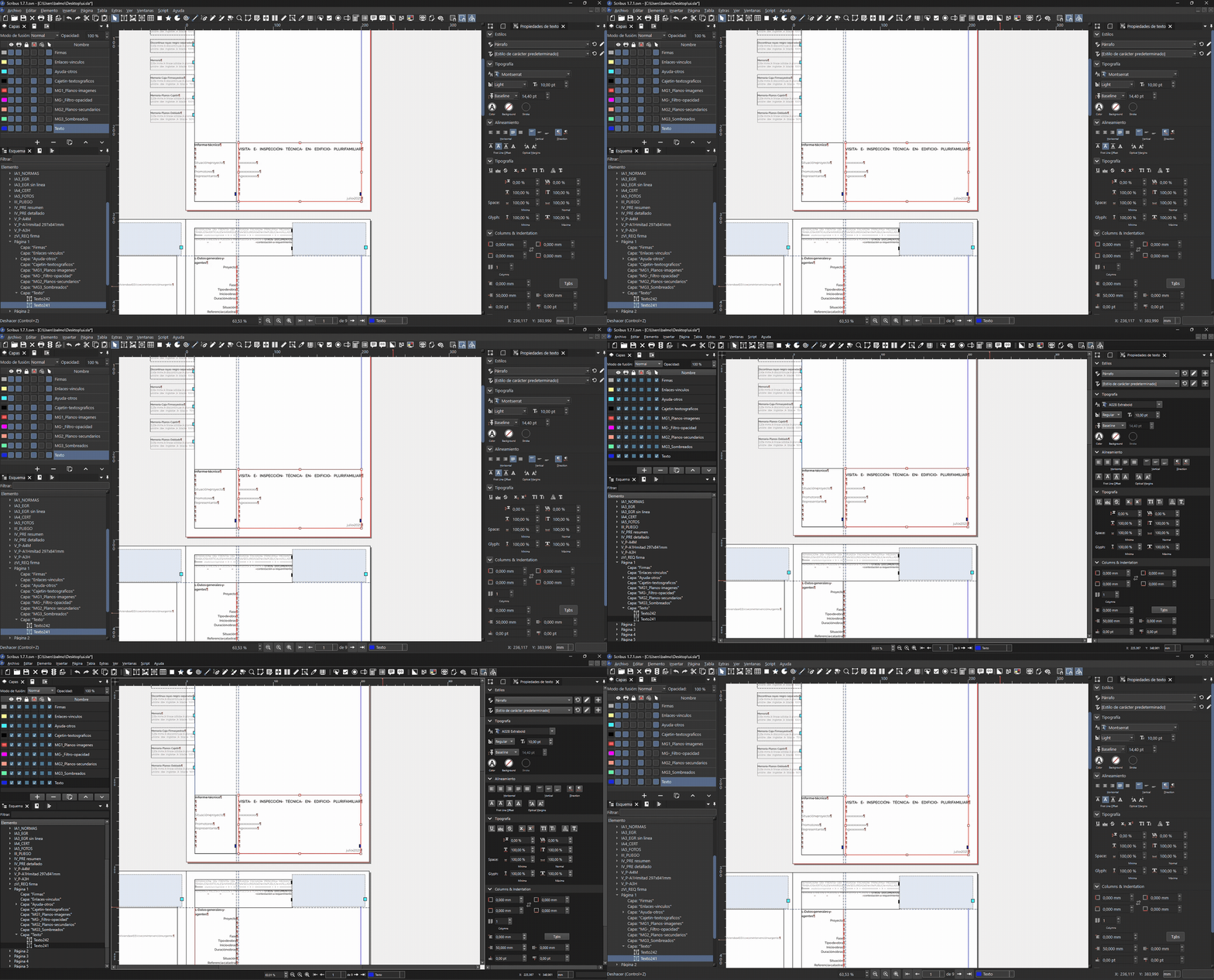
The qss file can be downloaded here: 250712_SCRIBUS_Custom-dark.qss
Now facing a custom QSS with slightly lighter greys:
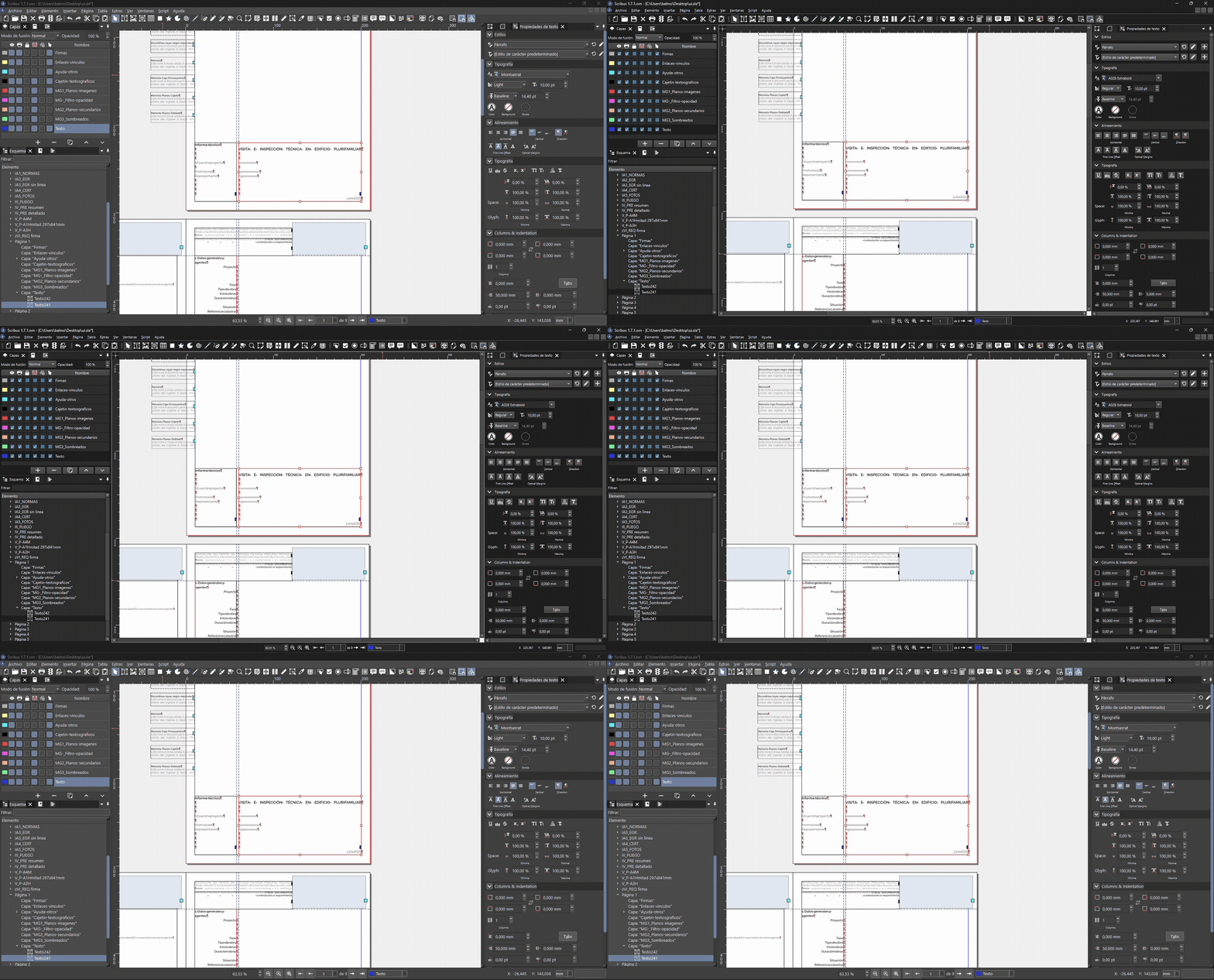
The second qss file can be downloaded here: 250712_SCRIBUS_Custom-darklight.qss
The qss file can be downloaded here: 250712_SCRIBUS_Custom-dark.qss
Now facing a custom QSS with slightly lighter greys:
The second qss file can be downloaded here: 250712_SCRIBUS_Custom-darklight.qss
#3
Beginner Talk / Re: How Add Inteface Themes
Last post by joseb - July 12, 2025, 01:43:25 PMI have no experience in computer coding and do not know how to create new themes for Scribus.
I did notice that the Scribus 1.7.1 dark theme interface is based on the operating system where I work (Windows 11 in my case).
The only way to modify it (with my zero programming skills) was to generate a QSS with artificial intelligence and force Scribus to use it. But this custom QSS I don't know how to load it in Scribus preferences so that it remembers it.
In the following screenshot you can see how I see Scribus by default (with fusion theme):
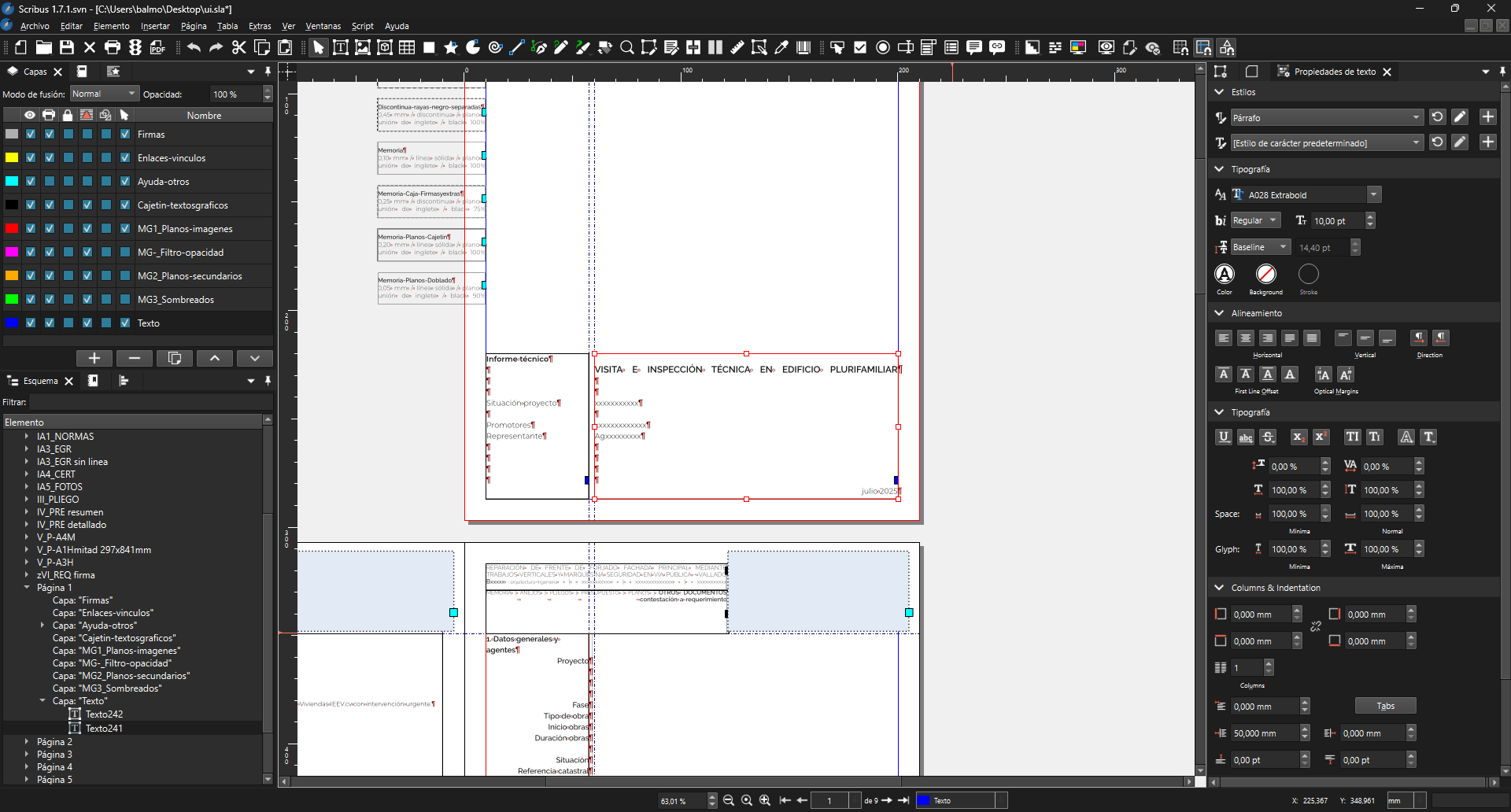
In the following two screenshots you will see Scribus forced to apply custom QSS (with fusion theme too):
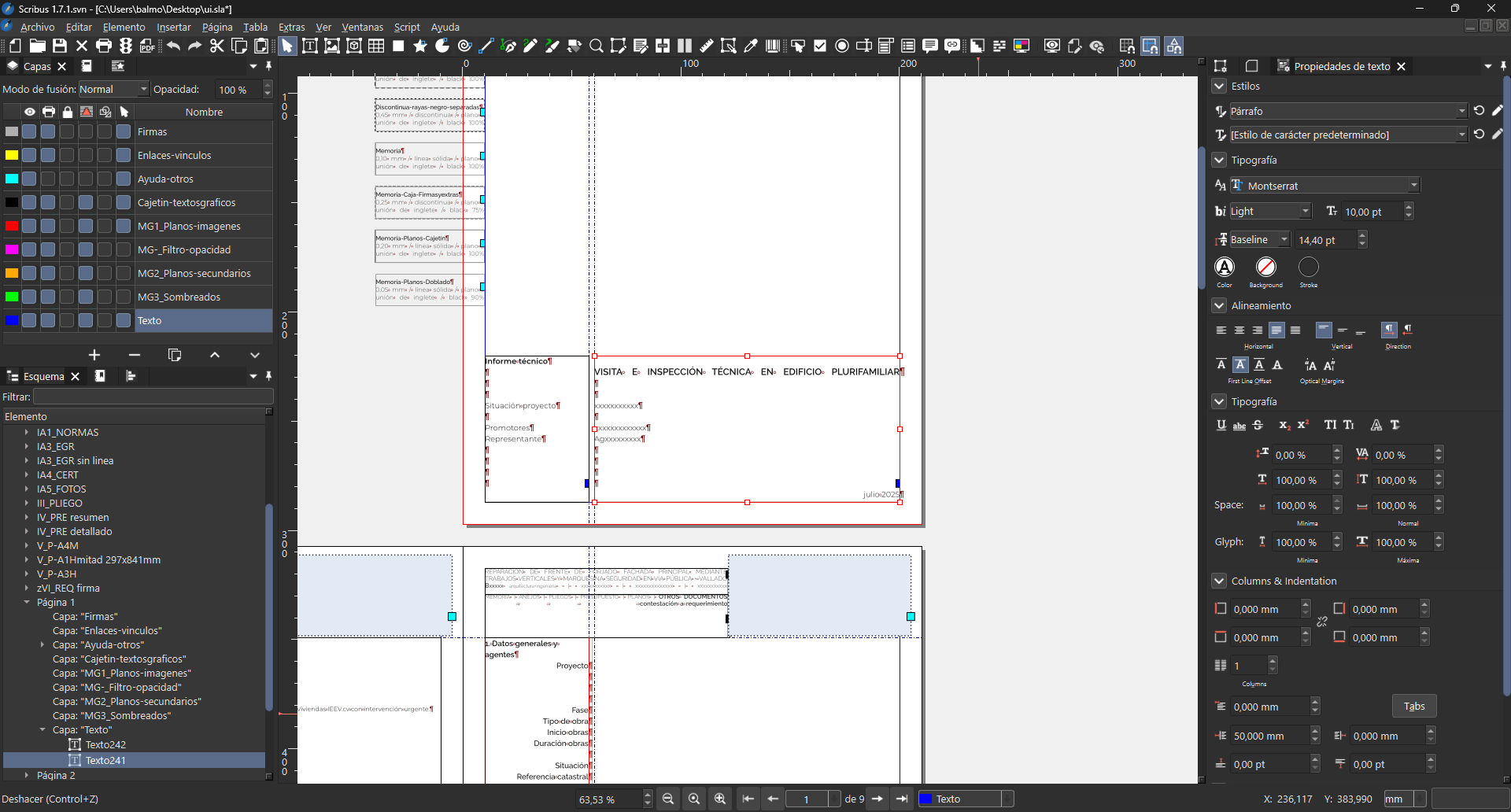
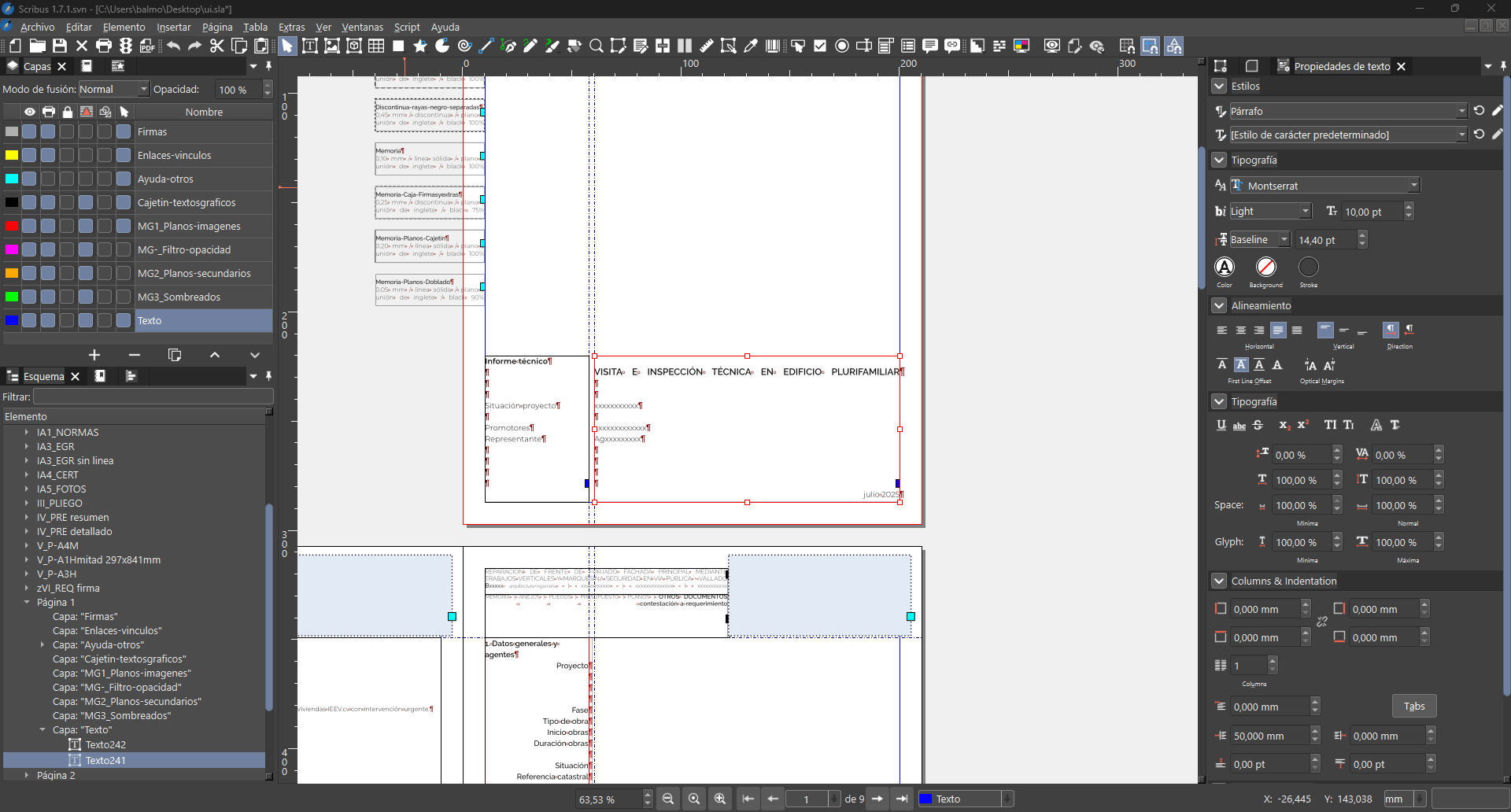
These QSS are some first tests generated directly with AI. I haven't retouched or polished them.
Something that has been impossible for me to correct are the titles or sections of the docked windows on the sides, like for example the horizontal bands where the 'Layers', "Properties" or 'Styles' texts are. Those panel bands have a double grey colour that has been impossible for me to unify in the QSS generated with AI.
Do you think it is possible to simplify the number of interface colours so that other tools such as AI can easily change them?
Could a 'themes' folder be created in the Scribus installation where each user could copy their 'custom' theme? Then I would open the Scribus preferences and there would appear for example: Auto system + Dark system + Light system + 'Custom' + other...
I did notice that the Scribus 1.7.1 dark theme interface is based on the operating system where I work (Windows 11 in my case).
The only way to modify it (with my zero programming skills) was to generate a QSS with artificial intelligence and force Scribus to use it. But this custom QSS I don't know how to load it in Scribus preferences so that it remembers it.
In the following screenshot you can see how I see Scribus by default (with fusion theme):
In the following two screenshots you will see Scribus forced to apply custom QSS (with fusion theme too):
These QSS are some first tests generated directly with AI. I haven't retouched or polished them.
Something that has been impossible for me to correct are the titles or sections of the docked windows on the sides, like for example the horizontal bands where the 'Layers', "Properties" or 'Styles' texts are. Those panel bands have a double grey colour that has been impossible for me to unify in the QSS generated with AI.
Do you think it is possible to simplify the number of interface colours so that other tools such as AI can easily change them?
Could a 'themes' folder be created in the Scribus installation where each user could copy their 'custom' theme? Then I would open the Scribus preferences and there would appear for example: Auto system + Dark system + Light system + 'Custom' + other...
#4
Beginner Talk / Re: How Add Inteface Themes
Last post by a.l.e - July 11, 2025, 09:27:35 PMAs far as I know, it should now be much easier to create new themes.
But having witnessed how much effort has been necessary to create a good new theme for Scribus, I wonder if it would not be more worth to join forces and further improve the Scribus look and feel, rather than multiplying the number of themes.
Anyway, If you can show a QSS style sheetand upload screenshots o how it improves Scribus for you, we can start a discussion : - )
But having witnessed how much effort has been necessary to create a good new theme for Scribus, I wonder if it would not be more worth to join forces and further improve the Scribus look and feel, rather than multiplying the number of themes.
Anyway, If you can show a QSS style sheetand upload screenshots o how it improves Scribus for you, we can start a discussion : - )
#5
Scripts and Plugins / Re: Boilerplate.py does not wo...
Last post by a.l.e - July 11, 2025, 08:55:44 PMI would say that the boilerplate from the wiki is a bit too complex for a default starter.
I would suggest something like this:
I've added to my collection of scripts:
https://github.com/aoloe/scribus-script-repository/tree/master/boilerplate
I would suggest something like this:
Code Select
# encoding: utf-8
#
# (c) MIT your name
#
# Boilerplate for Scribus scripts
#
# For details see the README file.

try:
    import scribus
except ImportError as ex:
    print('This script must be run from inside Scribus')
    raise ex

def main():
    # Replace the following line by your code
    pass

if __name__ == "__main__":
    main()
I've added to my collection of scripts:
https://github.com/aoloe/scribus-script-repository/tree/master/boilerplate
#6
Beginner Talk / Re: How Add Inteface Themes
Last post by joseb - July 11, 2025, 07:40:21 PMHello,
I am reactivating this topic, although I don't know if it would be better to create another thread or create an issue in the bug tracker.
I have the 'Scribus-1.7.1.svn-snapshot-20250614' version and you can already choose between dark or light mode in preferences. It's great.
I love Scribus and the new versions offer a very beautiful interface, but I would like to ask if Scribus will move forward with some of the following options:
- Will Scribus have more 'skins' as proposed by Indigo UI?
- Is there a folder in the Scribus installation where users can include new "themes" (which then appear in the preferences list)?
- I know that creating these light/dark themes can be a lot of work, but could Scribus be left more open for users to create their own themes?
- I'm not a programmer and have no experience, but I've done some research with some 'artificial intelligences' and they are able to generate .qss files (Qt Style Sheets) that modify the Scribus interface.
- Do you think Scribus can benefit from these custom qss styles? These qss files could be shared. Each user could copy it to a certain path and then choose it in the preferences dropdown.
- This can avoid further development of the main Scribus programmers and hours of work. Also make Scribus look and feel independent of the operating system. And give the user the possibility to create or even share these custom qss styles.
I am reactivating this topic, although I don't know if it would be better to create another thread or create an issue in the bug tracker.
I have the 'Scribus-1.7.1.svn-snapshot-20250614' version and you can already choose between dark or light mode in preferences. It's great.
I love Scribus and the new versions offer a very beautiful interface, but I would like to ask if Scribus will move forward with some of the following options:
- Will Scribus have more 'skins' as proposed by Indigo UI?
- Is there a folder in the Scribus installation where users can include new "themes" (which then appear in the preferences list)?
- I know that creating these light/dark themes can be a lot of work, but could Scribus be left more open for users to create their own themes?
- I'm not a programmer and have no experience, but I've done some research with some 'artificial intelligences' and they are able to generate .qss files (Qt Style Sheets) that modify the Scribus interface.
- Do you think Scribus can benefit from these custom qss styles? These qss files could be shared. Each user could copy it to a certain path and then choose it in the preferences dropdown.
- This can avoid further development of the main Scribus programmers and hours of work. Also make Scribus look and feel independent of the operating system. And give the user the possibility to create or even share these custom qss styles.
#7
Beginner Talk / Re: How do I create a table wh...
Last post by hjh - July 11, 2025, 05:54:46 PMI realize that it also needs to work for to character (digits) and drop caps seems only to apply for one character.
So the issue is about creating an "inner text frame" in the top left corner of the cell and have the text of the cell paragraph flow around it.
And I think I found the instructions here: https://wiki.scribus.net/canvas/Advanced_Drop_Caps
So the issue is about creating an "inner text frame" in the top left corner of the cell and have the text of the cell paragraph flow around it.
And I think I found the instructions here: https://wiki.scribus.net/canvas/Advanced_Drop_Caps
#8
Beginner Talk / How do I create a table where ...
Last post by hjh - July 11, 2025, 04:35:32 PMHi
For a calendar I use a table and I want the cells to have the cell number using drop caps, so that the rest of the text can be smaller and wrap around it.
How do I create a table or cell style which makes this happen?
--Hannes
For a calendar I use a table and I want the cells to have the cell number using drop caps, so that the rest of the text can be smaller and wrap around it.
How do I create a table or cell style which makes this happen?
--Hannes
#9
Scripts and Plugins / Re: Boilerplate.py does not wo...
Last post by hjh - July 11, 2025, 01:29:55 PMThe solution is to write
scribus.createText(40, 40, 100, 30, "myFirstTextFrame")
So the problem is solved.
boilerplate.py in
C:\ScribusPortable\App\Scribus\share\samples
works fine with
scribus.createText(40, 40, 100, 30, "myFirstTextFrame")
added after "Insert code here"
scribus.createText(40, 40, 100, 30, "myFirstTextFrame")
So the problem is solved.
boilerplate.py in
C:\ScribusPortable\App\Scribus\share\samples
works fine with
scribus.createText(40, 40, 100, 30, "myFirstTextFrame")
added after "Insert code here"
#10
Scripts and Plugins / Re: Boilerplate.py does not wo...
Last post by hjh - July 11, 2025, 12:09:26 PMHowever if I insert
````
createText(40, 40, 100, 30, "myFirstTextFrame")
````
After "Your code goes here" and run it on a new document I get an error message that 'createText' is not defined.
So I am looking for a boilerplate.py which operates on a new blank document and inserts a single text frame.
````
createText(40, 40, 100, 30, "myFirstTextFrame")
````
After "Your code goes here" and run it on a new document I get an error message that 'createText' is not defined.
So I am looking for a boilerplate.py which operates on a new blank document and inserts a single text frame.