
News:
Problems registering, no confirmation email - see http://wiki.scribus.net/canvas/Forums_Registration
Recent posts
#1
PDF Generation / Can Scribus create a SEARCHABL...
Last post by hannaconner - Today at 03:52:46 AMI'm a DTP newbie as well as a Scribus newbie, but an old hand in IT
(60 years since - honest!)
I'm trying to help the new editor of our Village Magazine
- imaginative, very enthusiastic, but hasn't a clue about how PCs & software work
(60 years since - honest!)
I'm trying to help the new editor of our Village Magazine
- imaginative, very enthusiastic, but hasn't a clue about how PCs & software work
#2
Scripts and Plugins / Re: error message
Last post by rafferty - July 14, 2025, 08:06:51 PMEdit: You can use any font you like for the calendar generation and afterwards change only the 'char_style_Moons'- character style with one which contains all special moonphase characters (I use Symbola font for this).
#3
Scripts and Plugins / Re: error message
Last post by rafferty - July 14, 2025, 05:05:02 PMHi Zaza,
1) If your language and unicode page is not defined in lines 92-116 of the 'MonthlyCalendar.py'-file, then open the file with a simple text editor and change an existing line or add a new line in between with your language and unicode page parameters.
2) As stated in the 'Monthly Calendar Instructions.pdf'-file under the moonphases section, you have to find a font for the moonphases that contains these characters.
Regards,
Rafferty
1) If your language and unicode page is not defined in lines 92-116 of the 'MonthlyCalendar.py'-file, then open the file with a simple text editor and change an existing line or add a new line in between with your language and unicode page parameters.
2) As stated in the 'Monthly Calendar Instructions.pdf'-file under the moonphases section, you have to find a font for the moonphases that contains these characters.
Regards,
Rafferty
#4
Scripts and Plugins / Re: error message
Last post by Zaza - July 14, 2025, 03:24:35 PMThank you I have no more error message.
I've tried with the Roboto regular font as in the pdf example and I have no moon phases.
Today I tried with the Arial regular font and I have the full moon and the empty moon too. I don't know why it doesn't work with the Roboto font as in example.
I have to try with other fonts until I find the right one.
-----
I have the four moon drawings with the "Yu Gothic UI" font.
I've tried with the Roboto regular font as in the pdf example and I have no moon phases.
Today I tried with the Arial regular font and I have the full moon and the empty moon too. I don't know why it doesn't work with the Roboto font as in example.
I have to try with other fonts until I find the right one.
-----
I have the four moon drawings with the "Yu Gothic UI" font.
#5
Scripts and Plugins / Re: error message in RaffertyR...
Last post by hjh - July 14, 2025, 01:46:26 PMHi Zaza
I tried out the script as well with language=German and font=Arial regular on MSWindows with Scribus 1.6.4.
It went through smoothly but only showed the full moon and the empty moon. It means that the font must support all the moon symbols.
Which language did you use?
I also realize that the error is at the line
https://github.com/RaffertyR/Monthly-calendar-script-for-Scribus/blob/e656ff77d82ffd4e3804d88caf695ddd4fad973e/MonthlyCalendar.py#L1155
This is where the locale information is set back to the original value stored earlier in the variable original_locale1.
The code in question is the main program
So a thing to try out is to forget about saving the original locale information and setting it back by commenting it out by adding a hash # sign in front of the program line.
You might then later set back your locale information manually (maybe by restarting Scribus?)
In any case the script wants to set a locale information which does not exist in your case. In the case I tested out it went through without problems.
Below I have inserted in the code that message boxes are shown before and after execution of the main loop script. This will help for debugging purposes.
HTH
Hannes
For debugging purposes it might also be useful to insert
I tried out the script as well with language=German and font=Arial regular on MSWindows with Scribus 1.6.4.
It went through smoothly but only showed the full moon and the empty moon. It means that the font must support all the moon symbols.
Which language did you use?
I also realize that the error is at the line
https://github.com/RaffertyR/Monthly-calendar-script-for-Scribus/blob/e656ff77d82ffd4e3804d88caf695ddd4fad973e/MonthlyCalendar.py#L1155
This is where the locale information is set back to the original value stored earlier in the variable original_locale1.
The code in question is the main program
Code Select
def main():
    """ Application/Dialog loop with Scribus sauce around """
    try:
        statusMessage('Running script...')
        progressReset()
        original_locale1=locale.getlocale(locale.LC_CTYPE)
        original_locale2=locale.getlocale(locale.LC_TIME)
        root = Tk()
        app = TkCalendar(root)
        root.mainloop()
        locale.setlocale(locale.LC_CTYPE, original_locale1)
        locale.setlocale(locale.LC_TIME, original_locale2)
    finally:
        if haveDoc() > 0:
            redrawAll()
        statusMessage('Done.')
        progressReset()
So a thing to try out is to forget about saving the original locale information and setting it back by commenting it out by adding a hash # sign in front of the program line.
Code Select
def main():
    """ Application/Dialog loop with Scribus sauce around """
    try:
        statusMessage('Running script...')
        progressReset()
        # original_locale1=locale.getlocale(locale.LC_CTYPE)
        # original_locale2=locale.getlocale(locale.LC_TIME)
        root = Tk()
        app = TkCalendar(root)
        root.mainloop()
        # locale.setlocale(locale.LC_CTYPE, original_locale1)
        # locale.setlocale(locale.LC_TIME, original_locale2)
    finally:
        if haveDoc() > 0:
            redrawAll()
        statusMessage('Done.')
        progressReset()
You might then later set back your locale information manually (maybe by restarting Scribus?)
In any case the script wants to set a locale information which does not exist in your case. In the case I tested out it went through without problems.
Below I have inserted in the code that message boxes are shown before and after execution of the main loop script. This will help for debugging purposes.
HTH
Hannes
For debugging purposes it might also be useful to insert
Code Select
messagebox.showinfo("INFO:",'locale.LC_CTYPE=' + str(original_locale1))
which in my case gave backCode Select
locale.LC_CTYPE=('English_Switzerland','1252')before the script run and Code Select
locale.LC_CTYPE ('de_DE','cp1252') after the script ran.Code Select
def main():
    """ Application/Dialog loop with Scribus sauce around """
    try:
        statusMessage('Running script...')
        progressReset()
        original_locale1=locale.getlocale(locale.LC_CTYPE)
        original_locale2=locale.getlocale(locale.LC_TIME)
        messagebox.showinfo("INFO:",'locale.LC_CTYPE=' + str(original_locale1))
        root = Tk()
        app = TkCalendar(root)
        root.mainloop()
        messagebox.showinfo("INFO:",'locale.getlocale(locale.LC_CTYPE)' + str(locale.getlocale(locale.LC_CTYPE)))
        locale.setlocale(locale.LC_CTYPE, original_locale1)
        locale.setlocale(locale.LC_TIME, original_locale2)
    finally:
        if haveDoc() > 0:
            redrawAll()
        statusMessage('Done.')
        progressReset()
#6
Scripts and Plugins / error message
Last post by Zaza - July 13, 2025, 05:09:28 PMHi,
I test the script from here : https://github.com/RaffertyR/Monthly-calendar-script-for-Scribus/
but I have this message :
Traceback (most recent call last):
File "<string>", line 11, in <module>
File "<string>", line 1164, in <module>
File "<string>", line 1155, in main
File "C:\Program Files\Scribus 1.6.4\python\lib\locale.py", line 608, in setlocale
return _setlocale(category, locale)
locale.Error: unsupported locale setting
The calendar is create but I have no moon phase drawing.
What can I do ?
I test the script from here : https://github.com/RaffertyR/Monthly-calendar-script-for-Scribus/
but I have this message :
Traceback (most recent call last):
File "<string>", line 11, in <module>
File "<string>", line 1164, in <module>
File "<string>", line 1155, in main
File "C:\Program Files\Scribus 1.6.4\python\lib\locale.py", line 608, in setlocale
return _setlocale(category, locale)
locale.Error: unsupported locale setting
The calendar is create but I have no moon phase drawing.
What can I do ?
#7
Beginner Talk / Re: How Add Inteface Themes
Last post by joseb - July 12, 2025, 02:27:48 PMIn the following GIF you can better see the changes between the dark default interface of Scribus 1.7.1 on windows 11 and the custom dark QSS:
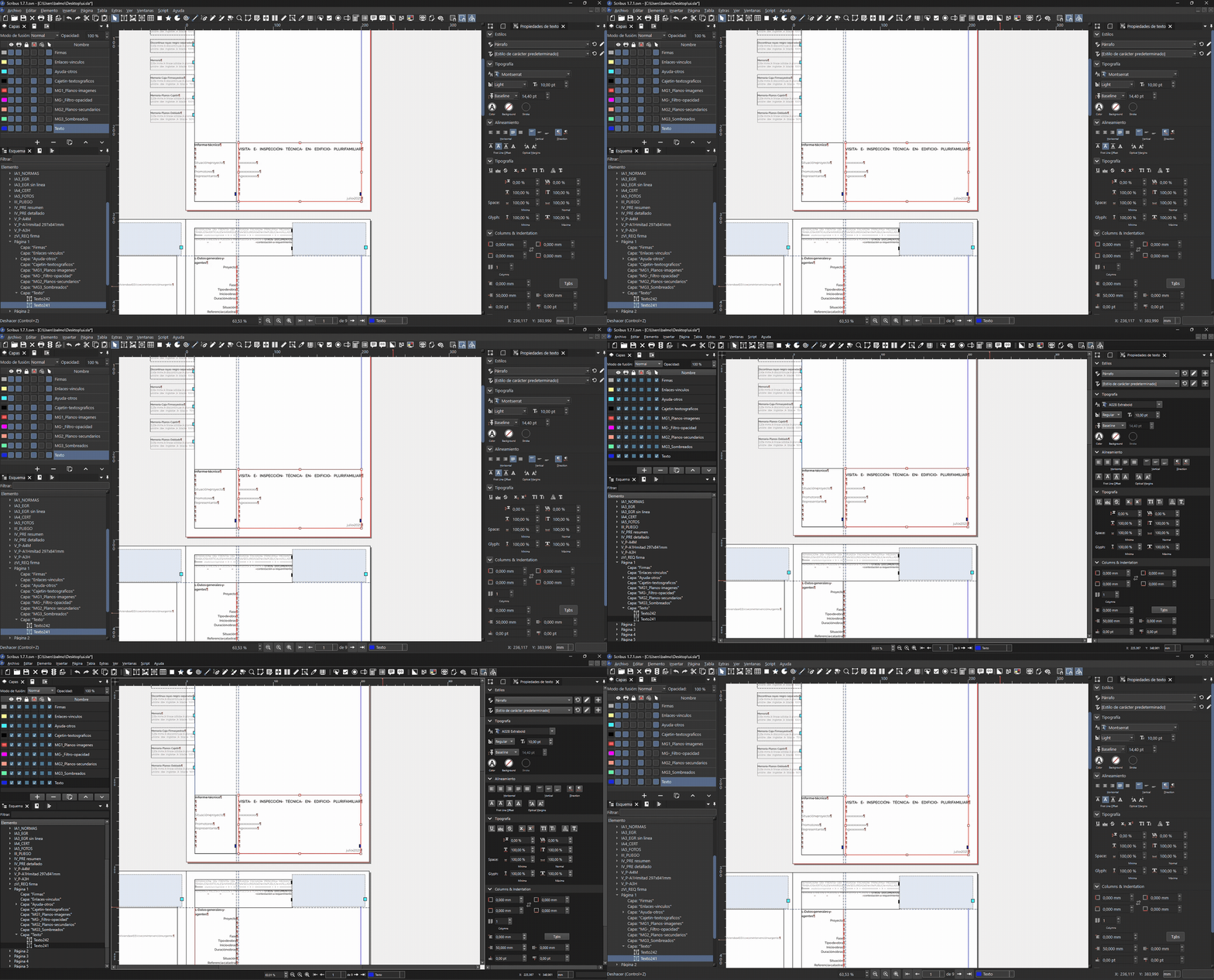
The qss file can be downloaded here: 250712_SCRIBUS_Custom-dark.qss
Now facing a custom QSS with slightly lighter greys:
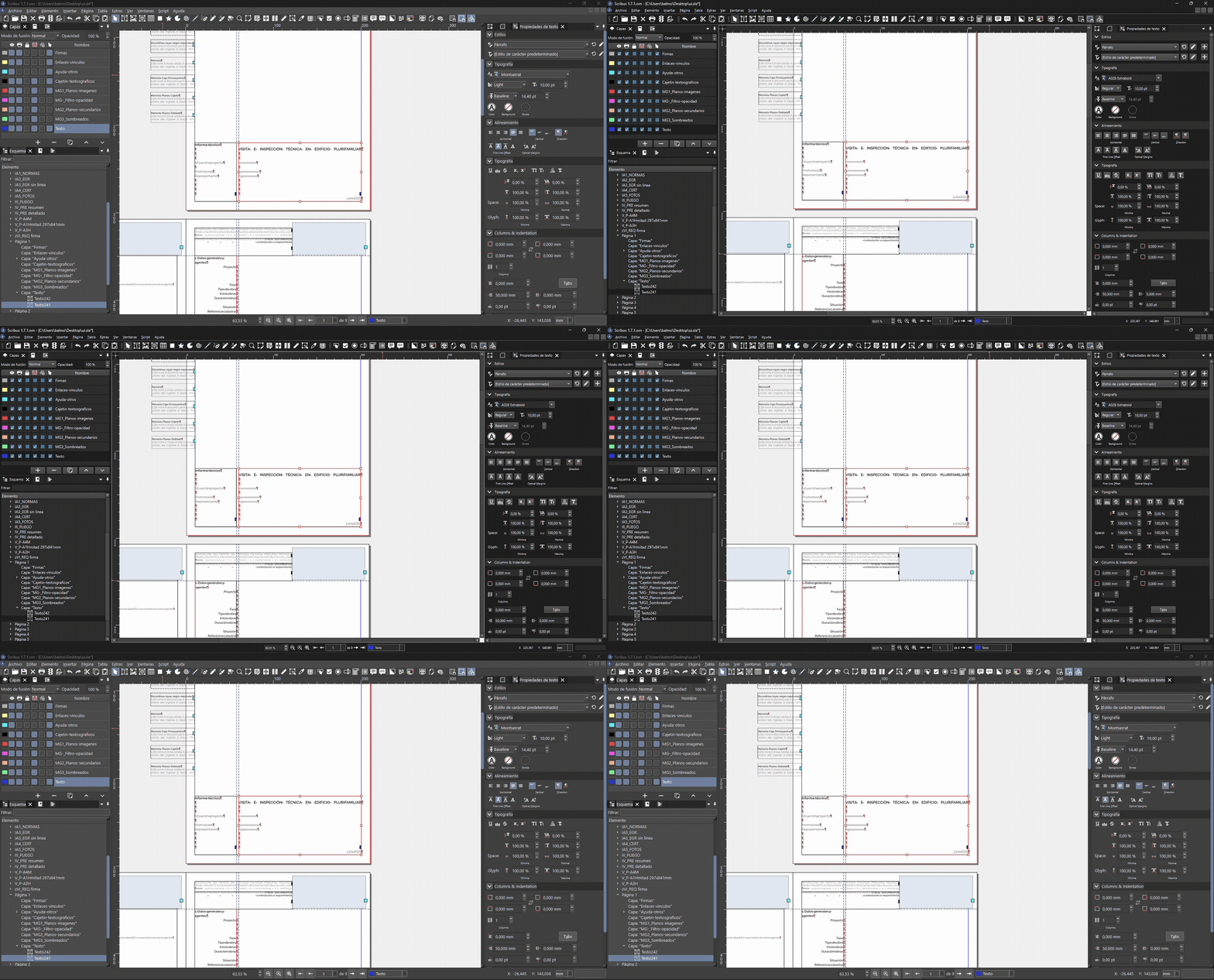
The second qss file can be downloaded here: 250712_SCRIBUS_Custom-darklight.qss
The qss file can be downloaded here: 250712_SCRIBUS_Custom-dark.qss
Now facing a custom QSS with slightly lighter greys:
The second qss file can be downloaded here: 250712_SCRIBUS_Custom-darklight.qss
#8
Beginner Talk / Re: How Add Inteface Themes
Last post by joseb - July 12, 2025, 01:43:25 PMI have no experience in computer coding and do not know how to create new themes for Scribus.
I did notice that the Scribus 1.7.1 dark theme interface is based on the operating system where I work (Windows 11 in my case).
The only way to modify it (with my zero programming skills) was to generate a QSS with artificial intelligence and force Scribus to use it. But this custom QSS I don't know how to load it in Scribus preferences so that it remembers it.
In the following screenshot you can see how I see Scribus by default (with fusion theme):
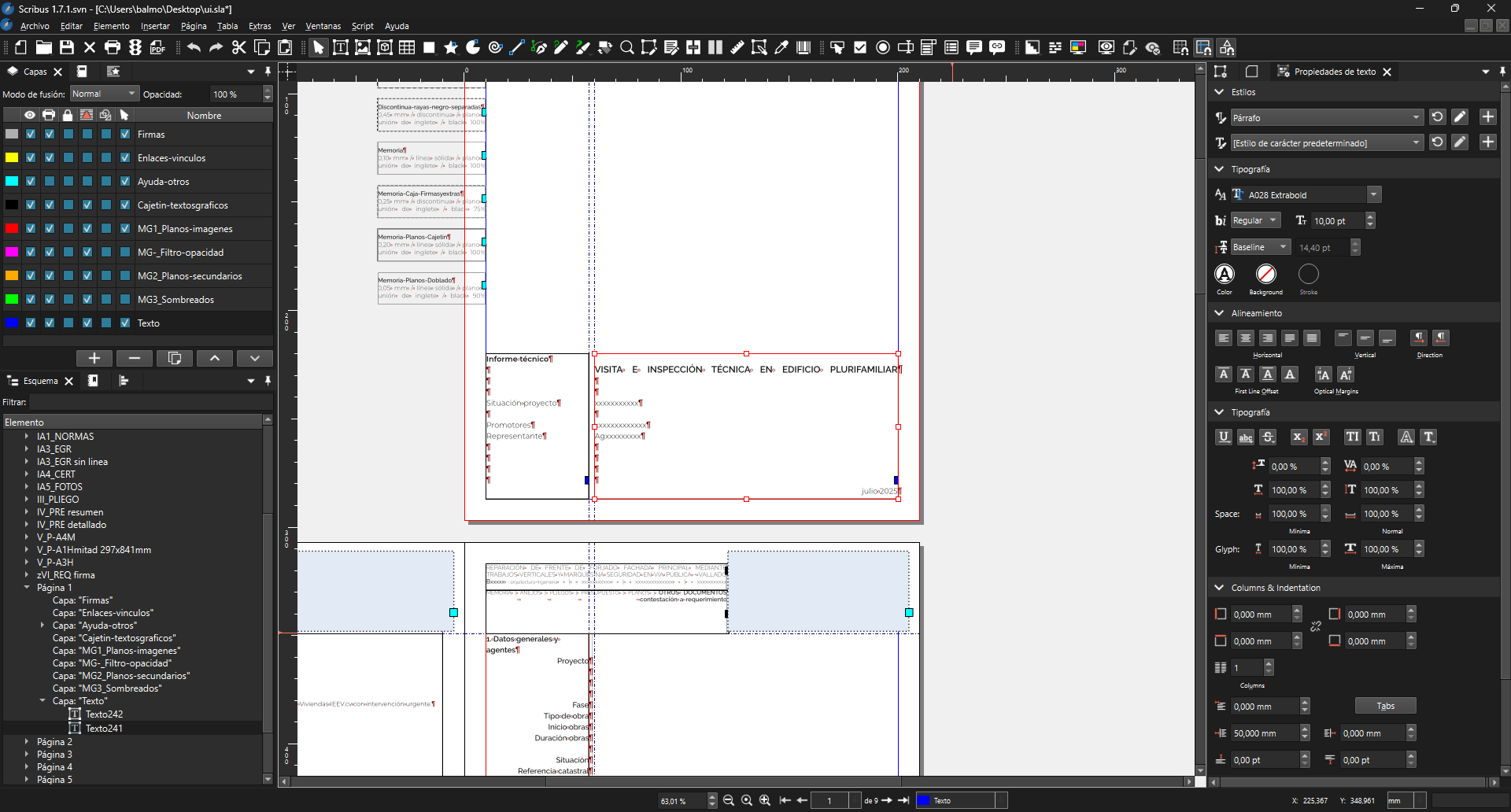
In the following two screenshots you will see Scribus forced to apply custom QSS (with fusion theme too):
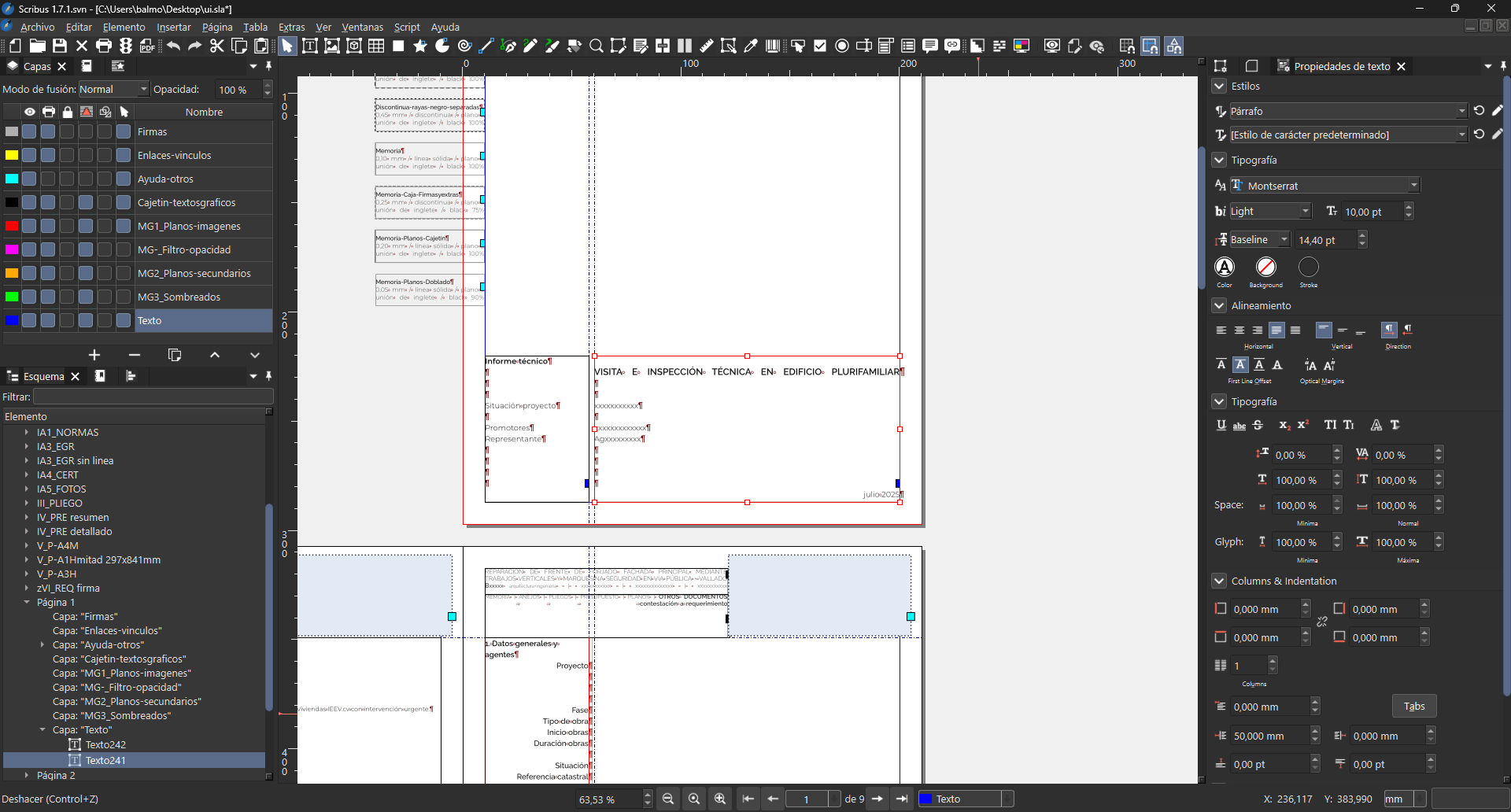
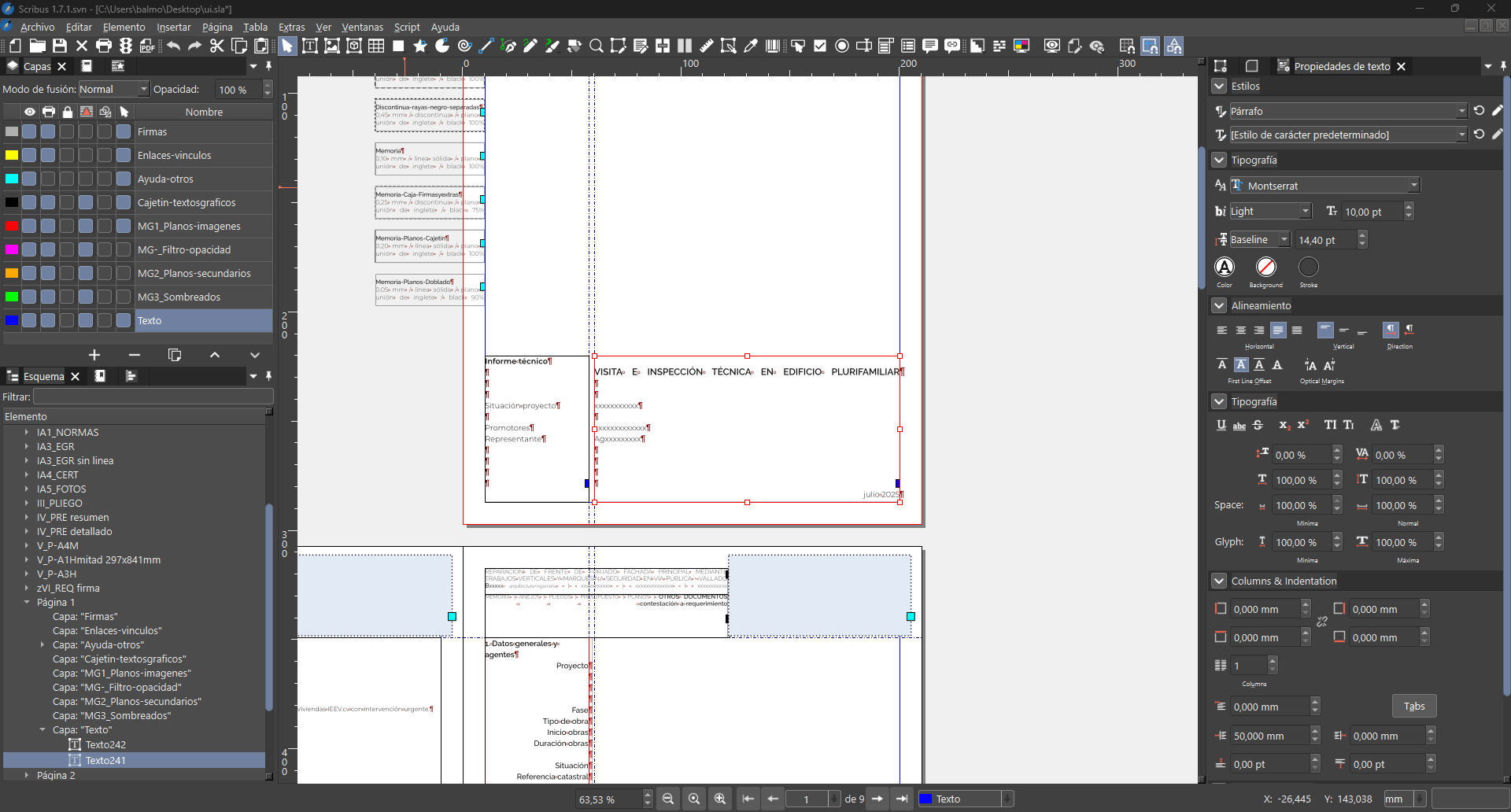
These QSS are some first tests generated directly with AI. I haven't retouched or polished them.
Something that has been impossible for me to correct are the titles or sections of the docked windows on the sides, like for example the horizontal bands where the 'Layers', "Properties" or 'Styles' texts are. Those panel bands have a double grey colour that has been impossible for me to unify in the QSS generated with AI.
Do you think it is possible to simplify the number of interface colours so that other tools such as AI can easily change them?
Could a 'themes' folder be created in the Scribus installation where each user could copy their 'custom' theme? Then I would open the Scribus preferences and there would appear for example: Auto system + Dark system + Light system + 'Custom' + other...
I did notice that the Scribus 1.7.1 dark theme interface is based on the operating system where I work (Windows 11 in my case).
The only way to modify it (with my zero programming skills) was to generate a QSS with artificial intelligence and force Scribus to use it. But this custom QSS I don't know how to load it in Scribus preferences so that it remembers it.
In the following screenshot you can see how I see Scribus by default (with fusion theme):
In the following two screenshots you will see Scribus forced to apply custom QSS (with fusion theme too):
These QSS are some first tests generated directly with AI. I haven't retouched or polished them.
Something that has been impossible for me to correct are the titles or sections of the docked windows on the sides, like for example the horizontal bands where the 'Layers', "Properties" or 'Styles' texts are. Those panel bands have a double grey colour that has been impossible for me to unify in the QSS generated with AI.
Do you think it is possible to simplify the number of interface colours so that other tools such as AI can easily change them?
Could a 'themes' folder be created in the Scribus installation where each user could copy their 'custom' theme? Then I would open the Scribus preferences and there would appear for example: Auto system + Dark system + Light system + 'Custom' + other...
#9
Beginner Talk / Re: How Add Inteface Themes
Last post by a.l.e - July 11, 2025, 09:27:35 PMAs far as I know, it should now be much easier to create new themes.
But having witnessed how much effort has been necessary to create a good new theme for Scribus, I wonder if it would not be more worth to join forces and further improve the Scribus look and feel, rather than multiplying the number of themes.
Anyway, If you can show a QSS style sheetand upload screenshots o how it improves Scribus for you, we can start a discussion : - )
But having witnessed how much effort has been necessary to create a good new theme for Scribus, I wonder if it would not be more worth to join forces and further improve the Scribus look and feel, rather than multiplying the number of themes.
Anyway, If you can show a QSS style sheetand upload screenshots o how it improves Scribus for you, we can start a discussion : - )
#10
Scripts and Plugins / Re: Boilerplate.py does not wo...
Last post by a.l.e - July 11, 2025, 08:55:44 PMI would say that the boilerplate from the wiki is a bit too complex for a default starter.
I would suggest something like this:
I've added to my collection of scripts:
https://github.com/aoloe/scribus-script-repository/tree/master/boilerplate
I would suggest something like this:
Code Select
# encoding: utf-8
#
# (c) MIT your name
#
# Boilerplate for Scribus scripts
#
# For details see the README file.

try:
    import scribus
except ImportError as ex:
    print('This script must be run from inside Scribus')
    raise ex

def main():
    # Replace the following line by your code
    pass

if __name__ == "__main__":
    main()
I've added to my collection of scripts:
https://github.com/aoloe/scribus-script-repository/tree/master/boilerplate